Miniblox.io
Web sandbox—allow the site to use keyboard and mouse inside the frame.
Miniblox.io · Press Esc to exit fullscreen










ABOUT
A blocky playground in your tab
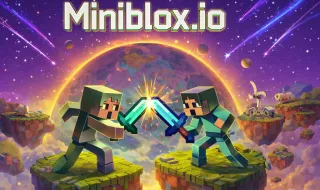
Miniblox.io drops you into a voxel-style multiplayer hub: think chunky landscapes, shared lobbies, and modes that rotate between chill building, obstacle runs, and more direct player-versus-player scraps. The exact menu changes as the live service updates, but the pitch stays the same—quick access sandbox fun without a separate game launcher.
Because it runs at miniblox.online, you are loading the first-party web client in an iframe. Performance tracks with WebGL and your network: crowded servers feel busier, empty ones are calmer for learning controls. Treat it like a social toy—say hi in chat when it is available, respect room rules, and step back if latency spikes.
This is an independent browser title—not Minecraft, not Roblox, not affiliated with those brands. If you want deep modding or single-player campaigns, those live elsewhere; Miniblox.io is about hopping in fast with strangers or friends who share the link.
GAMEPLAY
What you might do in a session
- 1
Pick a mode that matches your mood
Lobby tiles usually separate creative sandboxes from survival-flavored loops or arena-style minigames. Read the blurb before you queue—some rooms reward speed, others patience and block placement.
- 2
Learn the map’s vocabulary
Parkour lanes, sky arenas, and ground-level towns all read differently on the minimap. Spend one life just pathing so the next round you know where cover and drop-offs hide.
- 3
Play the economy of attention
In PvP-adjacent modes, standing still paints a target on you. Strafe, jump unpredictably, and use height—most voxel fighters punish flat aim duels on open ground.
PROGRESSION
Cosmetics, kits, and comebacks
Many .io sandboxes surface skins, tags, or loadout picks as you play. Treat unlocks as flair, not homework—skill still comes from map knowledge and clean movement.
If the site offers accounts, prefer official sign-in flows over third-party password reuse. When in doubt, play as a guest for a few rounds before linking anything permanent.
CONTROLS
Typical PC layout (confirm in-game)
TIPS
Smoother sandbox sessions
- Hardware acceleration — Keep Chrome, Edge, or Firefox current and enable GPU acceleration—voxel worlds are surprisingly draw-call heavy.
- Network — Wi-Fi gaming works, but Ethernet cuts packet loss that makes block placement feel laggy.
- Audio — Unmute the tab; footstep and swing sounds matter when you cannot see around the next corner.
- Share this page — Send friends the URL here so everyone loads the same web build—no APK sideloading.
FAQ
Do I need to install Miniblox.io?+
No. This page embeds https://miniblox.online/ directly. You play in the browser—no Steam install, no mobile APK required for the route we showcase.
Is Miniblox.io related to Minecraft or Roblox?+
No. It is its own browser sandbox with a blocky look. Trademarks belong to their owners; Miniblox.io is a separate product.
Why does the game feel laggy?+
Check your FPS cap, close heavy background tabs, and verify you clicked inside the player so input is not fighting the page UI. Server region and Wi-Fi quality matter too.
Can I play on a Chromebook or school device?+
Often yes—if the network allows WebGL and the iframe is not blocked. Policies vary; respect local rules.
Who hosts the game?+
The iframe loads content from miniblox.online. Brush Jjaemu provides this guide page only; we do not operate their servers.
SHARE
Jump into Miniblox.io—multiplayer blocks, minigames, no install.
https://trees-hate-you.online/games/miniblox-io
Miniblox.io — browser voxel sandbox