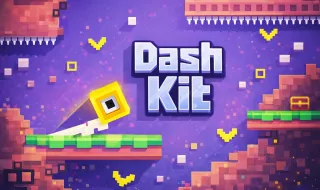
Dash Kit
Fancade player—tap or click; unmute if the level uses audio cues.
Dash Kit · Press Esc to exit fullscreen










ABOUT
Snack-sized challenges, stitched together
Dash Kit lives on Fancade, Martin Magni’s browser-and-mobile arcade platform where creators ship small, polished experiments. This kit strings together bite-sized stages that borrow from runner reflexes, light construction puzzles, and timing trials—often in the same breath—so the pacing feels closer to a variety show than a single-genre marathon.
Expect frequent rule changes: one screen might ask for a crisp hop sequence, the next for a steady hand on a moving object, another for reading a simple pattern under time pressure. Failures are cheap—levels are short on purpose—so the loop is try, laugh, adjust, clear.
The iframe points at play.fancade.com with a project id in the URL. That is Fancade’s official player; we do not host the game files. Progress, accounts, and social features follow Fancade’s own policies if you choose to sign in.
GAMEPLAY
How to surf the kit
- 1
Read the micro-tutorial each time
When the mechanic flips, skim the on-screen hint before mashing buttons—half the difficulty is understanding what this specific stage measures.
- 2
Optimize for short runs
Treat deaths as routing data. If a level allows instant restart, spam clean attempts instead of hesitating mid-animation.
- 3
Expect tonal whiplash
Difficulty spikes can follow chill rooms on purpose. Swap mindset as fast as the kit swaps genres.
PROGRESSION
Stars, unlocks, and replays
Fancade games often track completion, medals, or cosmetic unlocks through the platform profile. Playing as a guest still works for casual tries; linking an account keeps streaks and favorites portable across devices.
If a level gates the next chunk behind a score threshold, practice the weakest micro-game first—one stubborn room can stall an otherwise smooth run.
CONTROLS
Inputs (per-level hints win)
TIPS
Keep Fancade sessions smooth
- Stable WebGL — Update your browser, enable hardware acceleration, and pause heavy video tabs—Fancade renders in WebGL on the web.
- Sound — Unmute when the level looks rhythmic; some cues are audio-first.
- Fullscreen — Use the player’s fullscreen control to reduce accidental back-swipes on trackpads.
- Share this page — Send friends our link so everyone lands on the same embed—no APK hunting.
FAQ
Do I need to install Dash Kit?+
No. This page embeds the official Fancade web player. Open the tab, interact with the canvas, and start—no Android APK or desktop package is required for the route we publish.
What is Fancade?+
Fancade is a platform for small arcade games and creation tools. Dash Kit is one of the experiences hosted there; accounts and cloud saves are optional and managed by Fancade.
Why does the control scheme keep changing?+
That is the point of a kit-style compilation—each vignette teaches a micro-rule set. Pause, read the prompt, then commit.
Can kids play?+
Arcade pacing is family-friendly in tone, but challenge spikes can frustrate young players. Supervise screen time and use Fancade’s own safety tools if you create an account.
Who hosts the game?+
Gameplay loads from play.fancade.com. Brush Jjaemu provides this guide page only.
SHARE
Try Dash Kit on Fancade—quick levels, one tab, no install.
https://trees-hate-you.online/games/dash-kit
Dash Kit — Fancade micro-games